
Visitor tracking: from the first visit to becoming a lead
Knowing that a lead "came from Google" does not tell the whole story — which pages they visited before, how often they came back, what happened along the way. SDRBOT.ai installs a lightweight script on your site that follows that full journey, and attaches that history automatically to the lead record when they talk through the chat widget or convert on a landing page built inside the platform.
Build my SDR free →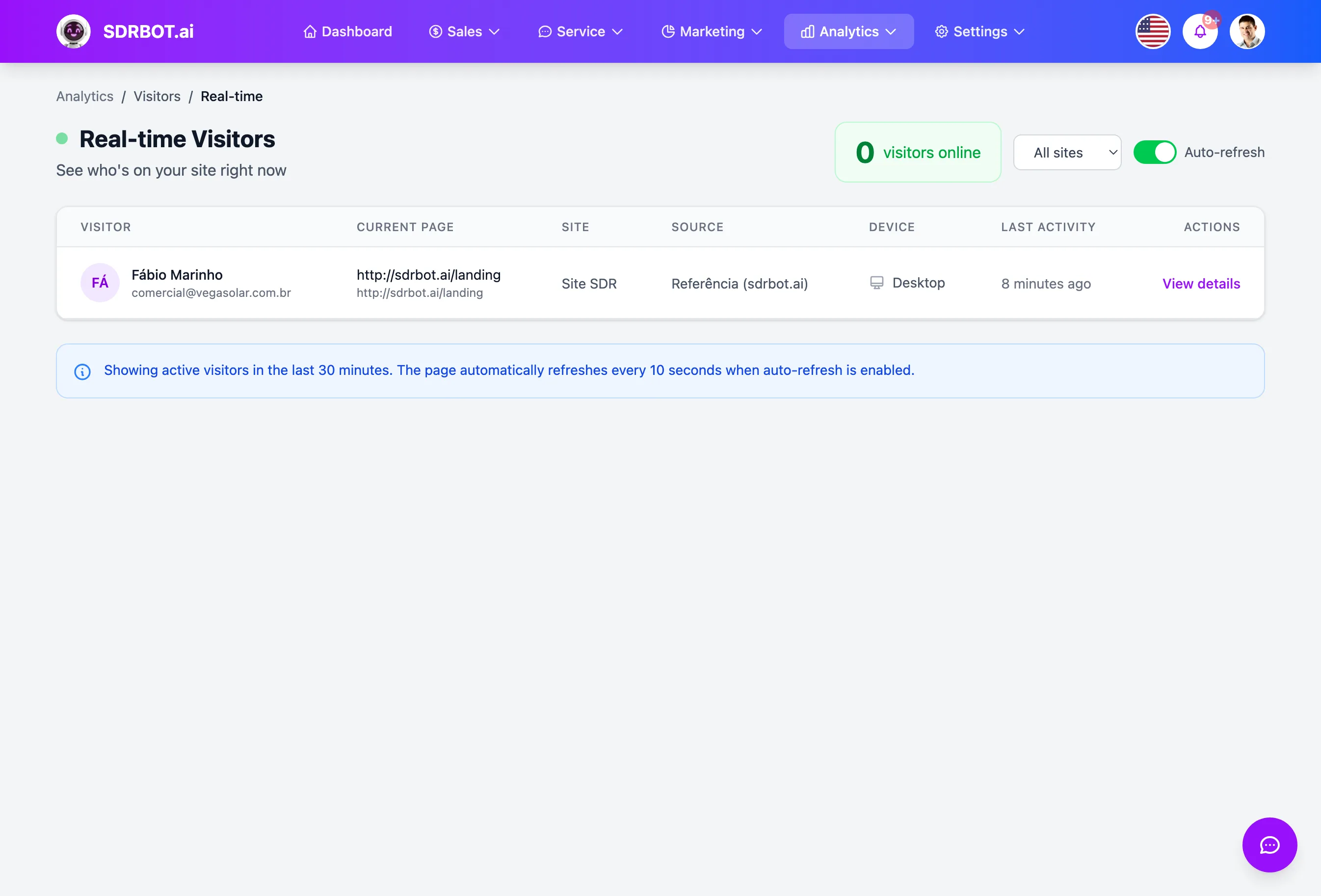
One script, the whole browsing journey
After installing a snippet of code on your site, each visitor gets an identifier of their own, stored in a cookie and in the browser's local storage for up to two years — enough to recognize someone who comes back to the site weeks later. The script automatically follows pages visited, including on sites that change screens without reloading, clicks, how far down the person scrolled (25%, 50%, 75%, 90%) and how long they stayed before leaving.
It also captures, with no extra configuration, the UTM parameters (source, medium, campaign) present in the link that brought that visitor to the site, the browser, the operating system, the device type and where they came from. All of it is organized into browsing sessions, not as loose events with no context.
The journey attaches to the lead — at two points today
When a visitor tracked by the script becomes a lead through your site's chat widget, and gives a phone number during the conversation, the prior browsing history is automatically linked to that lead's record, as long as the same tracking script is installed on the same page as the widget. The same happens, even more directly, on landing pages built inside the platform: the script comes embedded in them automatically.
Outside those two points — a lead arriving straight through WhatsApp or an external form, for instance — the browsing journey does not link itself to their record today. For those cases, there is an identification call your own site can fire on any page, manually tying that visitor to a lead by phone or email.
Visible on the lead record, not only in a separate report
When the journey is linked, the lead record gains a card with sessions, pages viewed, events recorded, the first source (UTM source, medium and campaign), the device used and the first landing page they came in through. The conversation timeline also folds in the most recent browsing events, side by side with the messages exchanged.
There is also a dedicated screen per visitor, with the complete browsing session, useful when you want to understand the behavior of someone specific without opening any report — including before that visitor becomes a lead, if you already know who they are by another route. That card and the browsing history are available to anyone with analytics access in the organization, without depending on the contracted plan to see the data.
An overall dashboard, with real-time traffic
Beyond the individual record, there is an aggregate dashboard with unique visitors, sessions, pages viewed, visitors already identified, conversion rate, average session duration, pages per session, bounce rate and average scroll depth — each calculated straight from the real data, not estimated.
The dashboard also shows a chart of visitors per day, the most viewed pages, traffic source, the devices used, a table of campaigns by UTM with a conversion rate of their own, and a counter of visitors active on the site right now. Each UTM appearing in that table comes only from what was actually in the link clicked — the platform does not generate those parameters itself, so a campaign only appears separately here if the link used in it already carried the matching UTM.
What changes for your team
- The full journeyPages, clicks, scroll and time on page, with nothing extra to configure.
- It attaches to the leadBrowsing history linked automatically in the widget and on landing pages.
- Record and dashboardSee it per individual lead or in aggregate, with real-time traffic.
- Effortless UTMSource, medium and campaign captured on their own from the link.
Frequently asked questions
Does the browsing journey always attach to the lead automatically?
Today that happens automatically at two points: when the lead gives a phone number in the site chat widget, with the script installed on the same page, and on landing pages built inside the platform. For leads arriving by another route, you can link them manually with an identification call on your site.
Do I have to configure anything to capture UTM and traffic source?
No. As soon as the script is installed, UTM source, medium and campaign, referrer, device and browser are captured automatically from every visit, with no additional configuration. That only works for links already carrying those parameters — the platform does not generate UTM on its own.
Can I see the history of a visitor who has not become a lead yet?
Yes, there is a dedicated screen per visitor with the whole browsing session recorded, even before they identify themselves as a lead. That helps you understand the behavior of whoever is browsing, but the view stays separate from the lead record until the link happens.
Does the traffic dashboard show real-time data?
Yes, there is a counter of visitors active on the site right now, plus daily metrics such as unique visitors, sessions, conversion rate and bounce rate, all calculated straight from the real browsing data — these are not estimated numbers. The same holds for the visitors-per-day chart and the most viewed pages table, updated with every new visit the script records.
Works together with
Built for: Agencies & Consulting Financial Services SaaS & B2B