
WhatsApp Business templates written with AI, ready for Meta
Writing a WhatsApp Business template that Meta approves on the first try is not intuitive: a variable in the wrong place, the wrong category or a missing header example is enough to get it rejected. In SDRBOT.ai, the AI writes the draft template from a brief of yours — goal, tone, product — already respecting Meta formatting rules, and the platform handles the submission, the variables, the buttons and the approval tracking.
Build my SDR free →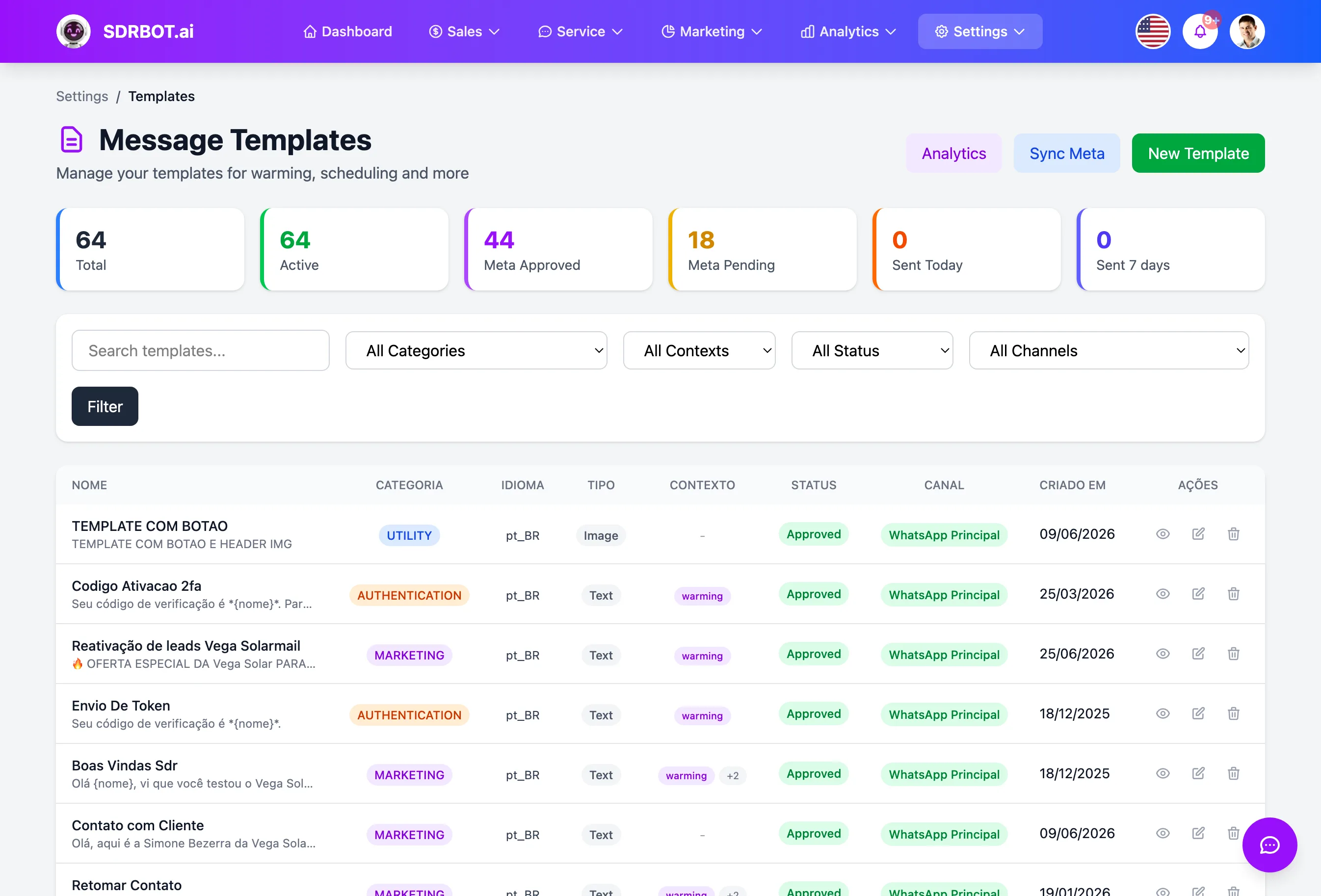
The AI writes with approval in mind
You describe the goal of the message — first contact, follow-up, re-engagement, offer, meeting reminder — along with tone of voice, product and the information that cannot be left out, and the AI generates the template text from that brief, already in the formatting rules Meta requires to approve a template.
One of those rules, for example, forbids a template from starting or ending with a variable — and the system not only avoids that in the initial generation but automatically rewrites the text if some variable slips to the beginning or the end of the message, without you having to notice and correct it by hand.
That adjustment works as a second AI call, focused only on fixing the problematic stretch, without rewriting the whole template from scratch — the text from your original brief stays essentially the same, just with the variable moved inside the boundaries Meta accepts.
Category, variables and buttons, in Meta format
A template can be created as Marketing, Utility or Authentication — each category with its own structure required by Meta — with a header in text, image, video or document, a body with dynamic variables, and quick reply, link or phone buttons, all assembled in the exact format Meta expects for review.
The variables in the text (such as the lead's name) are converted automatically to the numbered standard Meta uses at approval, with a sample value generated alongside — a technical detail that, if forgotten, is a common cause of rejection and that here does not depend on you remembering it.
When the template header uses an image, video or document, Meta also requires a media sample attached for the approval review — and the system blocks the submission with a clear warning if that sample was not included, rather than letting it go straight through to an all-but-guaranteed rejection.
Approval tracked inside the dashboard
Once submitted, the template sits in pending status until Meta decides — approved, rejected or paused — and that status is synced automatically back into the SDRBOT.ai dashboard, along with the reason for rejection when it happens and the quality score Meta itself assigns to an approved template.
That spares you from checking Meta Business Manager on the side just to find out whether a template can be used yet — the information arrives inside the platform where the template was created and where it is actually going to be sent from.
It is what re-engages outside the 24-hour window
An approved template is exactly what lets you message a lead who has not replied for more than 24 hours — outside that window, WhatsApp only accepts messages of that kind, formally approved, to prevent spam. It is the official mechanism for restarting a stalled negotiation, reminding someone of a meeting or announcing a promotion.
Without an approved template, the alternative is waiting for the lead to write first — which does not always happen. Keeping a catalog of already-approved templates, with the AI helping write new ones as the need changes, keeps re-engagement possible without running into Meta policy.
What changes for your team
- The AI writes the draftFrom your brief, already in Meta formatting rules.
- The right categoryMarketing, Utility or Authentication, with the structure Meta requires.
- Approval in the dashboardStatus, rejection reason and quality score, all synced back.
- Re-engages outside the windowAn approved template is what lets you reach a lead after 24 hours.
Frequently asked questions
Is the template the AI writes ready for Meta approval?
The AI writes the text from your brief already respecting Meta formatting rules — such as not starting or ending the template with a variable. Approval itself remains a decision exclusive to Meta, not something the platform does automatically.
What kinds of template can I create?
Marketing, Utility and Authentication, with a header in text, image, video or document, dynamic variables in the body and quick reply, link or phone buttons — each structure already assembled in the format Meta requires for review.
How do I know whether my template was approved?
The status — pending, approved, rejected or paused — is synced automatically from Meta into the SDRBOT.ai dashboard, along with the reason when a template is rejected, without checking that separately in Business Manager.
What is a template for, outside the normal chat?
It is what lets you message a lead who has not replied for more than 24 hours, since outside that window WhatsApp only accepts formally approved messages of that kind — useful for re-engaging a stalled negotiation or reminding someone of an appointment.
Works together with
Built for: Agencies & Consulting Insurance Franchises