Omnichannel support in a single dashboard
Every messaging channel tends to be its own screen today, its own login, its own separate history — and the lead who switches channels looks like a brand-new stranger to whoever picks up. In SDRBOT.ai, WhatsApp, Instagram, Messenger, RCS and your website widget all land in the same Service Center: the same queue, the same lead history, the same AI setup answering, no matter where the message came from. You configure the AI SDR once and it works any channel you turn on, without doing the job twice.
Build my SDR free →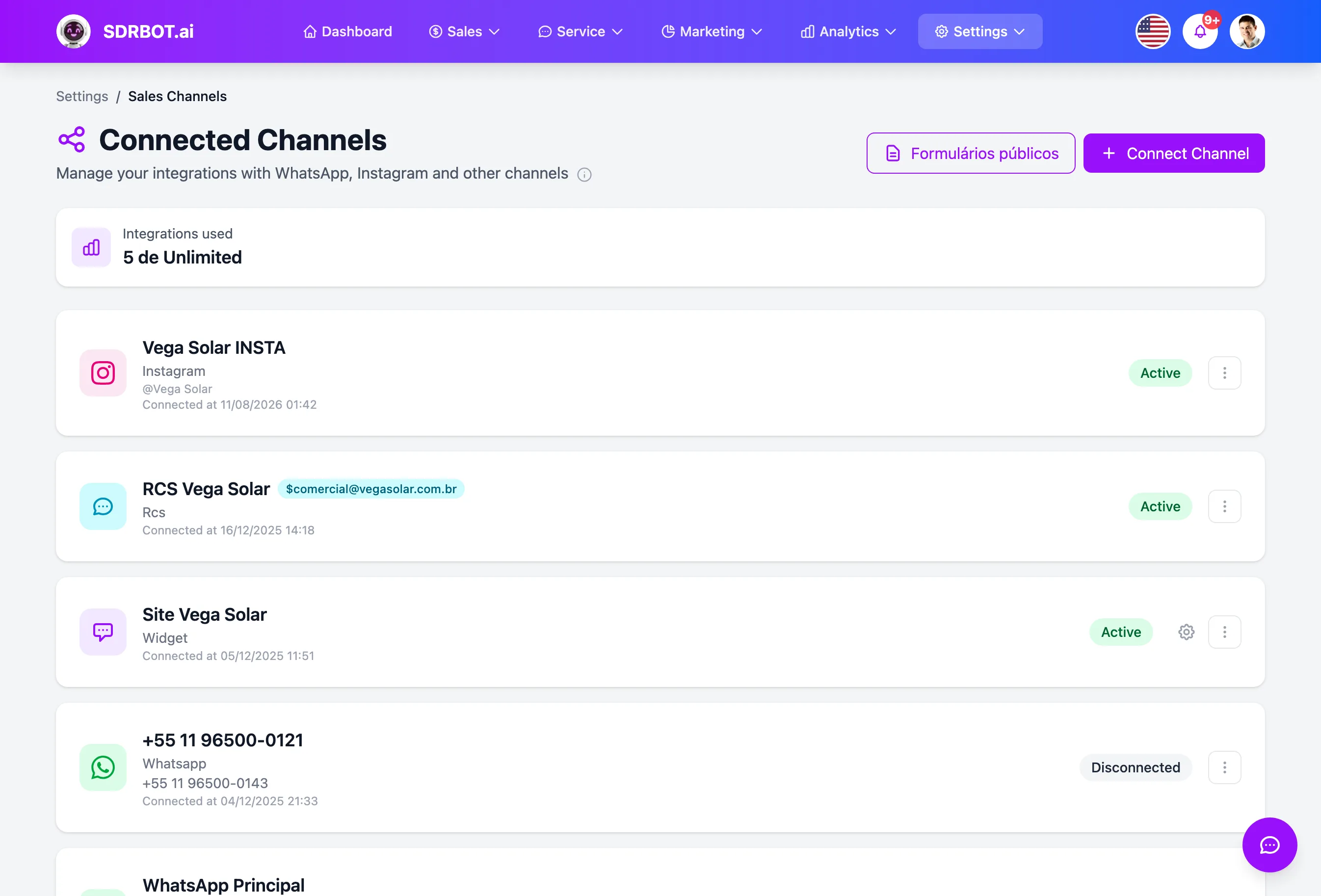
One lead, one conversation, any channel
A lead who messages you on Instagram and, days later, writes on WhatsApp is still the same lead inside SDRBOT.ai — same conversation history, same qualification score, same tags, not a fresh record for every channel. That holds for the five channels the platform supports today: WhatsApp Business (Meta's official API), Instagram Direct, Messenger, RCS and the chat widget installed on your site.
In practice, this heads off the most common failure in multi-channel operations: an agent talking on Instagram with no idea that the same contact already argued about price on WhatsApp the week before. The conversation changes channel, but the sales context — products of interest, objections raised, stage of the deal — travels with the lead, available to whoever takes over on any of the channels connected to the account.
The AI SDR answers the same way everywhere
The AI SDR that qualifies and talks on WhatsApp is the same one answering on Instagram, Messenger, RCS or the widget — same product setup, same qualification rules, same tone of voice and the same criteria for deciding when a person should take over. Behind the screen, each channel runs its own message process, but they all call the same AI SDR your organization configured to generate the reply — there is no stripped-down version reserved for one channel.
So adjusting the qualification script, adding a new product or changing a handoff criterion in the account settings updates how the AI SDR behaves across every active channel at once, without repeating the setup channel by channel.
The Service Center does not sort by channel
On the support screen, the team sees conversations organized by queue and priority, not by channel of origin — the channel icon appears only as a visual marker next to the lead's name. That avoids the classic problem of multi-channel operations: a "WhatsApp team" and an "Instagram team" working in isolation, with different rules and priorities for the same kind of lead.
In SDRBOT.ai there is a single queue, the criteria for distributing work automatically among agents are the same, and the handoff from the AI SDR to a person follows the same logic regardless of which channel the conversation happened on. For a manager, that also means tracking support volume, response time and satisfaction in one place, instead of adding up reports scattered across each channel's own tool.
Turning on a new channel does not restart anything
Each new channel — an extra WhatsApp number, a new Instagram account, the widget for a second site — goes through its own credential connection, but automatically inherits the AI setup, the qualification criteria and the handoff rules the organization already has. You do not start configuring the AI SDR from scratch for every channel: you switch the integration on and it is born speaking by the same rules as the channels already live.
That lightens the work of expanding your digital presence — opening one more channel is an integration task, not a new AI configuration project.
What changes for your team
- One historyThe lead never repeats context when switching channels — it is one conversation.
- One AI SDRThe same qualification setup covers every active channel.
- One queueThe team works by priority, with no silos by channel of origin.
- New channel, setup readyTurning on one more channel inherits the rules you configured before.
Frequently asked questions
Do I have to set the AI up separately for each channel?
No. You configure products, qualification rules and handoff criteria once, at the organization level, and that setup applies automatically to WhatsApp, Instagram, Messenger, RCS and the widget. Turning on a new channel does not mean repeating that work — it starts out using the configuration you already have.
Are the lead score and history shared across channels?
Yes. The lead is identified by the contact and carries the same score, the same tags and the same conversation history regardless of which channel they use to reach you — moving from WhatsApp to Instagram does not create a new record or reset the qualification the AI SDR already did.
Can I have a different team for each channel?
Routing today does not segment by channel of origin — the handoff queue is one for the entire organization. What you control is which agents are eligible to receive transfers and which distribution rule applies among them, not a fixed team per channel.
Works together with
Built for: Agencies & Consulting SaaS & B2B Franchises