
Security and access control: 2FA, roles and a protected domain
Security is not just "having a password" — it is real two-factor authentication, roles that genuinely limit what each person can do, and a domain of your own that is never left exposed without a certificate. SDRBOT.ai combines 2FA through an authenticator app, five roles with permissions already applied on the most sensitive screens of the platform, and automatic SSL provisioning for the domain of your landing page.
Build my SDR free →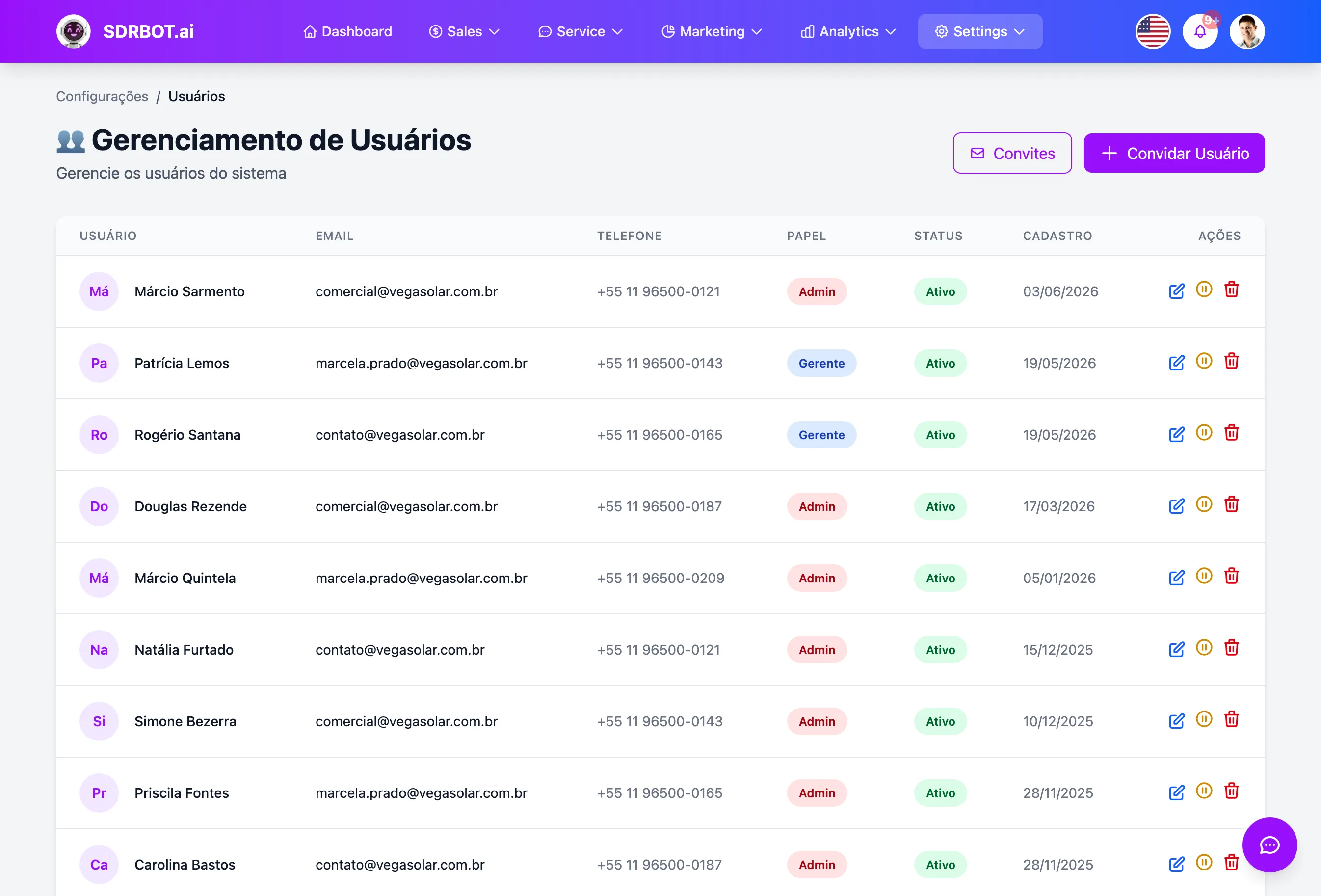
Two-factor authentication through an authenticator app
When two-factor authentication is active on the platform, each user sets up an authenticator app — the same kind used with Google Authenticator — by scanning a QR code, and from then on confirms a 6-digit code generated by that app at every new login. It is not an SMS or an emailed code that can be intercepted.
At setup you receive 8 single-use recovery codes, so you can get in even without access to the authenticator app in a pinch. You can mark a device as trusted for 30 days, so it does not ask for the code at every login on that particular machine, and switching the 2FA requirement off for your own account asks for the current password first — it is not a single click.
Roles that come with permissions already applied
Each user in the organization has a role — Owner, Administrator, Manager, Sales or Member — and that role already determines what the person can do on screens such as user management, billing, integrations, domains, message templates, analytics and bulk lead deletion. It is not a decorative field: each of those screens checks the role before granting access.
That prevents, for example, a newly hired sales rep from touching billing or deleting leads in bulk just because they have an active account in the organization — those actions stay reserved for whoever holds the Owner or Administrator role. Today the roles are a fixed set, not a permissions screen configurable field by field.
Your own domain with an SSL certificate provisioned on its own
When you connect a domain of your own to your landing page, the platform first confirms that the domain really points to it, through a DNS record. Once that verification passes, the SSL certificate for that domain is requested and installed automatically, without you buying a certificate separately or touching server configuration. A subdomain of the platform itself does not go through that flow — it comes protected by default; only your own domain goes through DNS verification and certificate issuance.
Renewal is automatic too: a daily routine checks which certificates are 15 days or less from expiring and renews them before the deadline, without depending on anyone remembering by hand every few months. That automatic SSL provisioning applies to the domain of your own connected to the landing page — that is where your account's domain registry acts today.
Security designed not to jam the daily work
None of these layers was designed to get in the way of someone already authenticated and in the right role: the trusted device avoids repeating the 2FA code at every login, the recovery codes keep you from being locked out of your own account, and the roles grant exactly what each function in the company needs, with no extra bureaucracy in day-to-day tasks. That trusted-device cookie, incidentally, is protected against being read by script on the page — it is not a loose value any code running in the browser could simply copy.
The goal is to lower the real risk — improper access to billing, bulk lead deletion by mistake, or a domain published without a certificate — without turning every login into friction. It is security applied at the points that genuinely matter, not a generic layer draped over everything.
What changes for your team
- 2FA by authenticator appA 6-digit code at every login, with recovery codes as backup.
- 5 roles with real permissionsEvery sensitive screen checks the role before granting access.
- Automatic SSLThe certificate for your own domain is requested and renewed on its own.
- No daily frictionA trusted device and the right roles, without blocking who is already authorized.
Frequently asked questions
Does two-factor authentication use SMS or an app?
An authenticator app — the same kind used with Google Authenticator — not SMS or email. You scan a QR code at setup and confirm a 6-digit code at every new login. You also receive 8 single-use recovery codes, for cases where the app is not at hand.
Does each role genuinely limit what a person can do?
Yes. Screens such as user management, billing, integrations, domains, message templates and bulk lead deletion check the user role before granting access — it is not a decorative field. Today the roles are a fixed set (Owner, Administrator, Manager, Sales, Member), not a permission configurable field by field.
Do I have to buy an SSL certificate for my landing page domain?
No. Once your own domain is verified through a DNS record, SDRBOT.ai requests and installs the SSL certificate automatically, and renews it on its own before expiry with a daily check. That automatic provisioning applies to the domain connected to your landing page.
Do I have to type the 2FA code at every login?
Not necessarily. You can mark a device as trusted for 30 days, and during that window the login on that particular machine does not ask for the code every time. Switching the 2FA requirement off for your own account, on the other hand, always asks for the current password first, as an extra layer of confirmation.
Works together with
Built for: Financial Services Insurance Retirement Planning